Shoppers can ask your store in ChatGPT: how it works with EPAV Desk
A shopper mentions EPAV Desk in ChatGPT, names your store and gets an answer from your own support bot. How it works, what your team sees and how to turn it on.
On this page
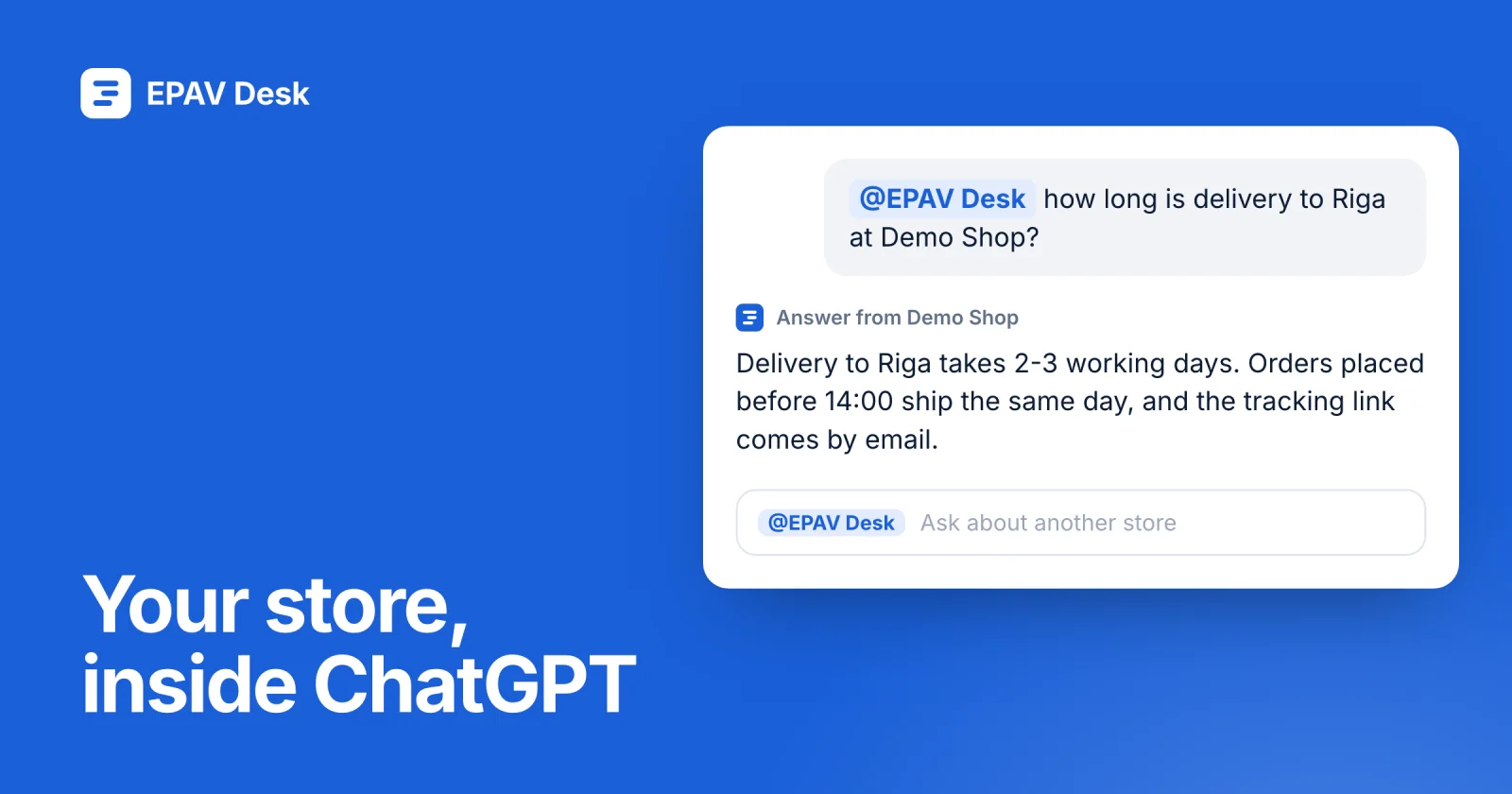
A shopper may type a question about your store into ChatGPT instead of opening your website. With EPAV Desk, that question can go to your store. The shopper mentions EPAV Desk in ChatGPT and names your store, and your own support bot answers, from the same knowledge base it uses in the chat on your website.
What changes when the question starts in ChatGPT
In ChatGPT there is no chat of yours. ChatGPT cannot see your knowledge base or the status of an order. It can only use what it finds about your store somewhere else.
When the shopper asks through EPAV Desk, the question goes to your store, and your bot writes the answer. ChatGPT then shows that answer to the shopper, sometimes in its own words.
How it works for the shopper
- Install EPAV Desk once. In ChatGPT the shopper opens Plugins in the sidebar, finds EPAV Desk and selects Install plugin, then Connect if ChatGPT asks. There is no sign-in: EPAV Desk does not ask who the shopper is. Direct link: EPAV Desk in ChatGPT.
- Ask and name the store. For example: "@EPAV Desk, how much is delivery at Acme?" ChatGPT lets people choose a plugin with an @ mention, and it can also use an installed plugin by itself when it fits the request (Plugins in ChatGPT).
- Approve the message. Before a message goes out to the store, ChatGPT may show an approval card with buttons such as Allow once (Managing app permissions in ChatGPT).
- Read the answer. Your bot's answer comes back into the same ChatGPT chat.
- Keep talking. Further questions in the same ChatGPT chat continue the same conversation with your store, so the bot remembers what was said. This works for 30 days after the last message.
Not every ChatGPT user can do this: OpenAI says installing or using a plugin depends on the user's plan, workspace, role and region (Plugins in ChatGPT).
Demo video: EPAV Desk in ChatGPT.
The same bot as on your site
In ChatGPT your assistant has everything it has in your website chat:
- the same knowledge base and the same bot text;
- the same ready-made actions, such as the order status after a code from an email or a booking in Cal.com, with the same email check;
- handover to your team when the bot cannot help or the shopper asks for a person;
- the shopper's language.
If the bot answers a question badly, fix the article once, and both places get the better answer. Before you turn the channel on, ask your bot on your site the questions shoppers ask most often.
What you and your team see
Turning the channel on adds two things to your panel:
- a separate web chat inbox called ChatGPT & Claude under Admin > Inboxes, with the settings of your main web chat: the greeting, the language and AI chat mode;
- a rule under Admin > Automations that gives new conversations from this inbox to your assistant.
Questions from ChatGPT arrive there as ordinary conversations, and your agents answer them as usual. The widget code on your site does not change.
A few things work differently from the chat on your site:
- Replies from your team. When the bot hands the conversation over, the shopper sees the bot's handover message. Your agent's reply reaches the shopper when they ask in the same ChatGPT chat whether the store has replied.
- No agent names. The shopper sees that a reply comes from your team, not who wrote it. If you want the shopper to see a name, write it in the reply.
- Text only. There is no pre-chat form and no satisfaction survey, and shoppers cannot send files or voice messages. The first message with the AI notice and the "Did this help?" question stay in your panel.
- Long answers. If the bot needs more time, ChatGPT tells the shopper that the store is still answering. The shopper gets the answer by asking again in the same chat.
How to turn it on
The channel is off by default. You turn it on yourself in the cabinet, on any plan: Mini, Lite, Basic or Ultra.
- Open the cabinet at https://my.epavdesk.com, section Site, card ChatGPT and Claude.
- Check Name shoppers search for. It already holds your company name from sign-up. Change it to the name shoppers know your store by.
- Check Your website. It already holds the address you checked with I pasted it, please check. Shoppers can find your store by this address too.
- Press Answer shoppers in ChatGPT and Claude.
Within a minute your store is in the EPAV Desk search. The name and the website change with Save.
To stop, press Stop answering there in the same card. Within a minute your store is out of the search, and the ChatGPT & Claude inbox is turned off. Conversations stay in your panel. Do not delete that inbox: if it is deleted, conversations that shoppers started earlier do not continue.
The full guide is in our documentation: Answer shoppers in ChatGPT and Claude.
What about Claude
The same card covers Claude by Anthropic, where EPAV Desk is still under review in the connector directory. Until it is published, your store is found in Claude only by people who added the EPAV Desk server to Claude by hand.
What it costs
A conversation from ChatGPT uses the cloud AI of your plan, like a conversation in your website chat. The channel has no limits of its own. See Plans, limits and billing.
What data goes where
| What | Where it goes |
|---|---|
| The text of the shopper's messages and their language | To your panel, as a conversation in the ChatGPT & Claude inbox |
| The shopper's name, email address, IP address, ChatGPT account | Not passed to your store by EPAV Desk |
| Your replies with their links, whether each came from your assistant or your team, files you attach, your store's name and website | Back to ChatGPT, into the shopper's chat |
| An encrypted record of which conversation a ChatGPT chat continues | Kept by EPAV Desk for 30 days after the last message, then deleted |
- Personal details reach you only if the shopper writes them. When a ready-made action needs an email address, the bot asks for it as on your site.
- EPAV Desk keeps no copy of the messages outside your panel. ChatGPT can send other details with a request, such as an approximate location. Our server does not use or store them.
- OpenAI's side. Your replies become part of the shopper's ChatGPT chat, which OpenAI handles under its own terms. OpenAI explains what ChatGPT shares with apps and how it uses information from them in Connected apps in ChatGPT.
- Your store is responsible for the conversation, as with your website chat. Our Privacy Policy describes the channel in Sections 1.2 and 2.8.